

What is the new Quick Change in El Dorado P2P?
There will now be a new type of order for P2P transactions, called Quick Change. That will improve order completion time, minimizing downtime, and cancellations, which affect the user experience of El Dorado.
Simply put, Quick Changes will save time both for merchants who post ads and for users who seek to complete their transactions efficiently through them.
How does a Quick Change work for users looking for ads?
The user experience won't change in the first few steps. They will be able to view the list of ads, select the one that best suits them, and enter the amount to change.
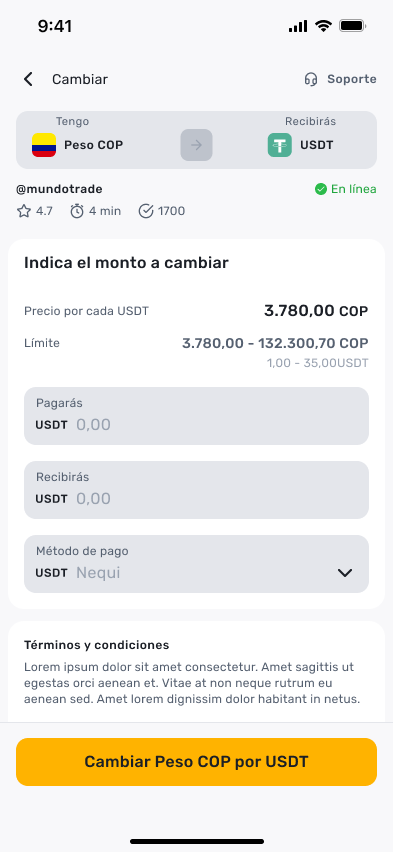
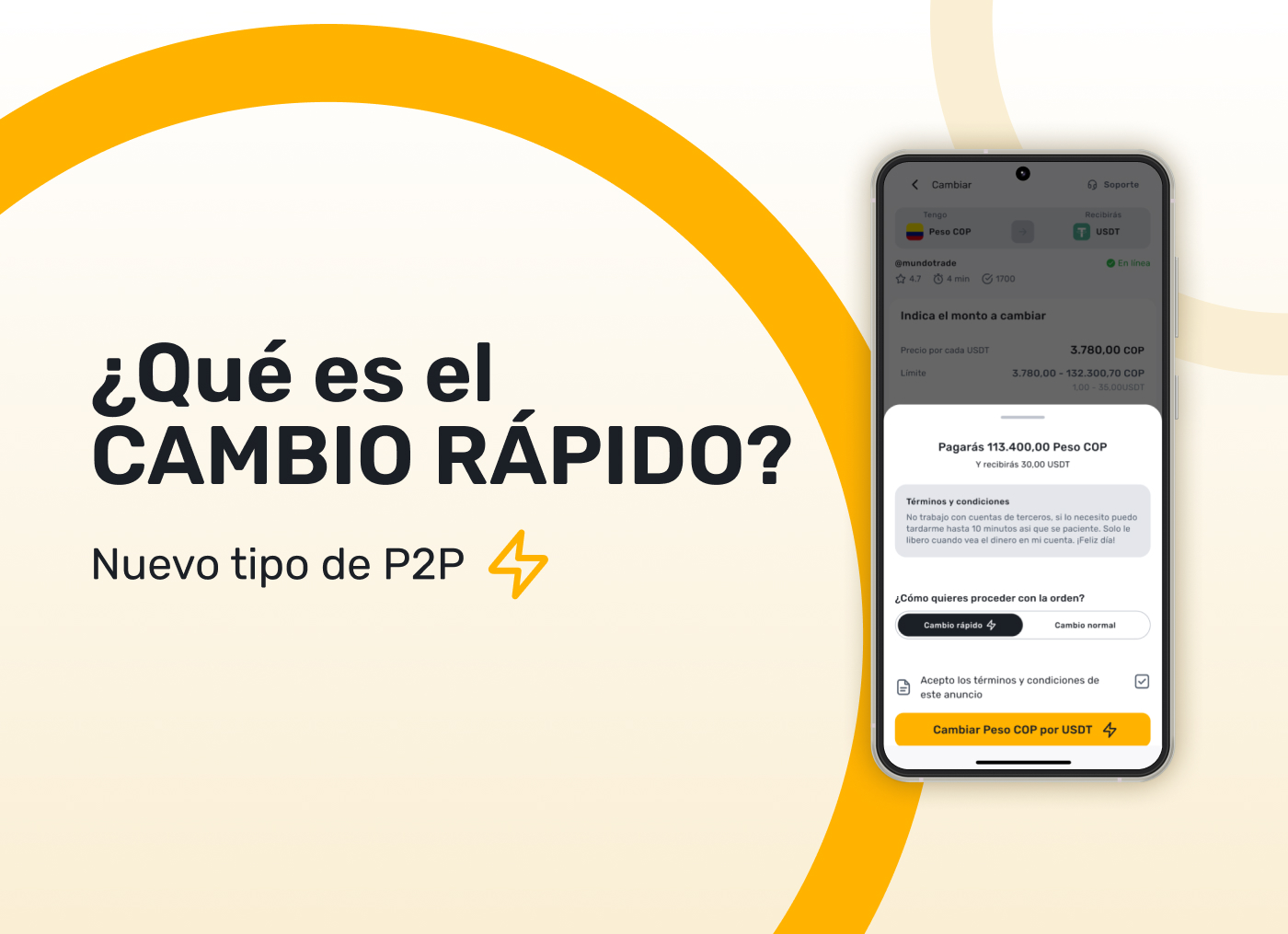
When it's time to confirm the order, users will see the “Quick Change” option, which will be enabled by default.
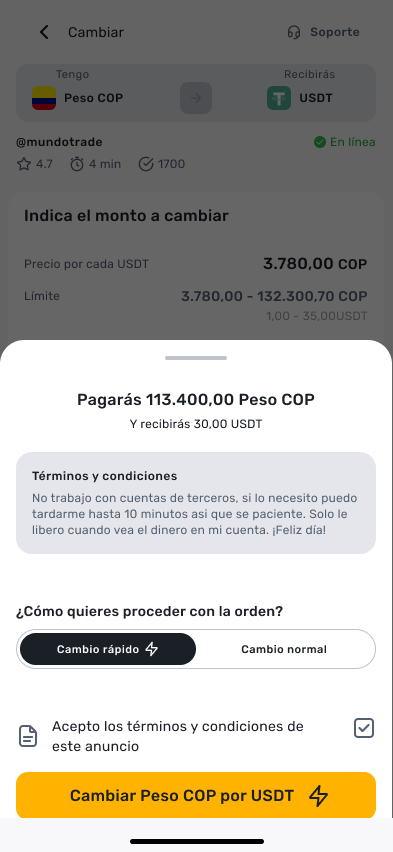
If you don't want to make a Quick Change, you can disable this type of order by changing the selector to “Normal Change”.
Let's explain the case of Rapid Change.
Once the Quick Change is confirmed, the system will show the user a timer of 1 minute. This timer indicates the period during which El Dorado will verify if the merchant is available to make the change.
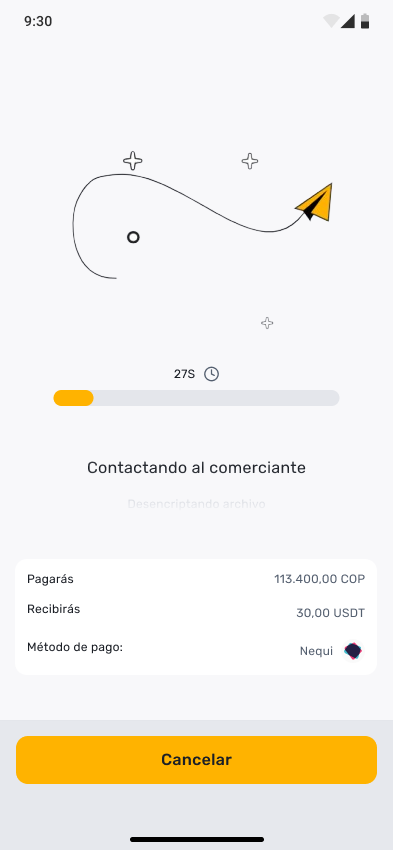
How does Quick Change work for merchants?
When the user submits the Quick Change request, the merchant will receive the following notifications immediately:
- Email.
- Push notification on your mobile device, with distinctive sound.
Once inside the El Dorado application, the merchant will see the next window whose expiration time is 1 minute, synchronized with the same timer that the user activated when he requested the order.
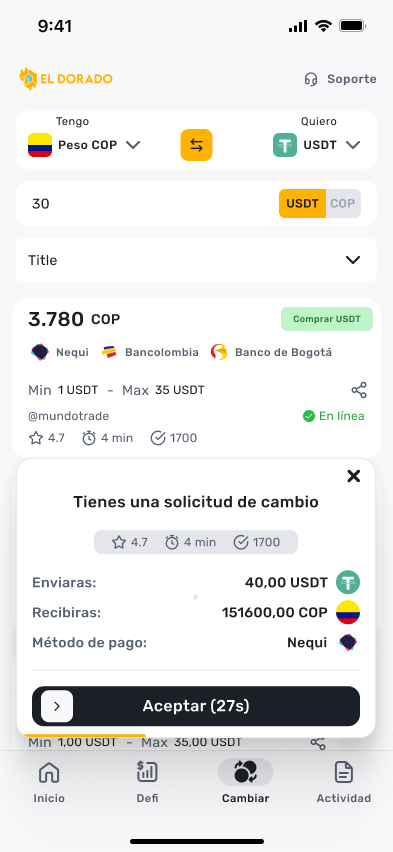
The window will show the details of the order and the merchant must simply slide the “Accept” modal if they want to take the order, or close the window with the “X” if they want to reject it.
If the merchant had the El Dorado application open at the time of receiving a Quick Change request, and was not taking any action on the application, they can simply click on the timer window.
If the merchant had the El Dorado app open at the time they received a Quick Change request, and if they were taking any action on the app, you'll see a more subtle notification at the top of the screen. When you select it, you will be shown the same window explained above with the timer and order information.
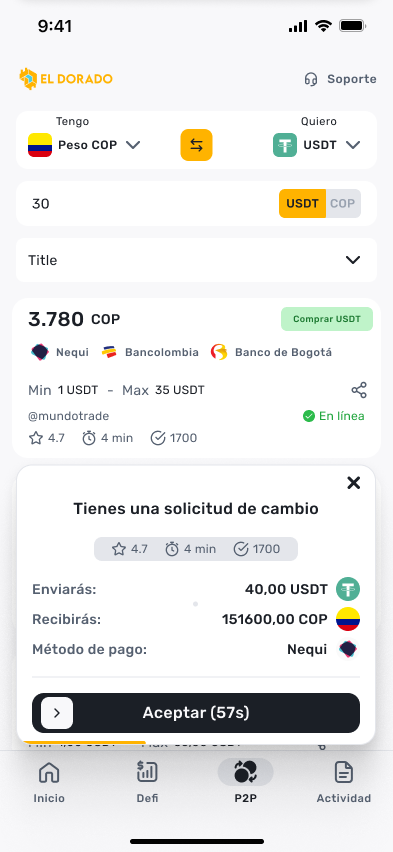
When the merchant receives a Quick Change request with the application open, there is no need to open the email or notifications from their mobile device. These notifications external to the application serve to alert the merchant when they are not using El Dorado.
Another important point to keep in mind is that, if the 1-minute timer expires without the merchant accepting or rejecting the order, other similar advertisements will be recommended to the user to continue with their exchange operation.
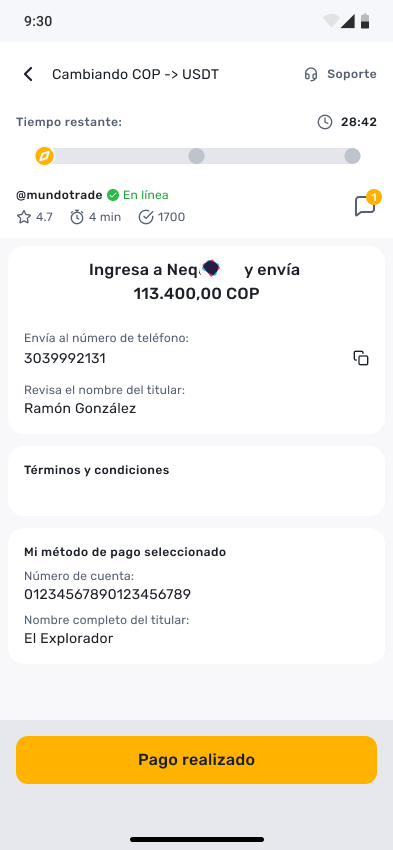
The rest of the experience is the same. Once the order is accepted by the merchant, both can complete their P2P transaction with the same simple El Dorado experience.
If you are a merchant, we want you to be duly informed about this change.
It is very important that as a merchant you understand that after the implementation of Quick Changes, there is a possibility that you will receive two different types of orders from users.
1. Normal change: With the same experience as always. Users will search for ads, select the one they like the most, enter the amount to change, and you will be informed by our direct communication channels about a new P2P order.
2. Quick Change: Once the user confirms their order with your ad and the “Quick Change” option enabled, you will receive notifications and have 1 minute to accept or ignore it. Once accepted, you can proceed to complete the change.
If you don't want to receive Quick Changes, you can disable this option in your profile settings. To do so, you'll need to follow the following steps once the Quick Changes feature is implemented:
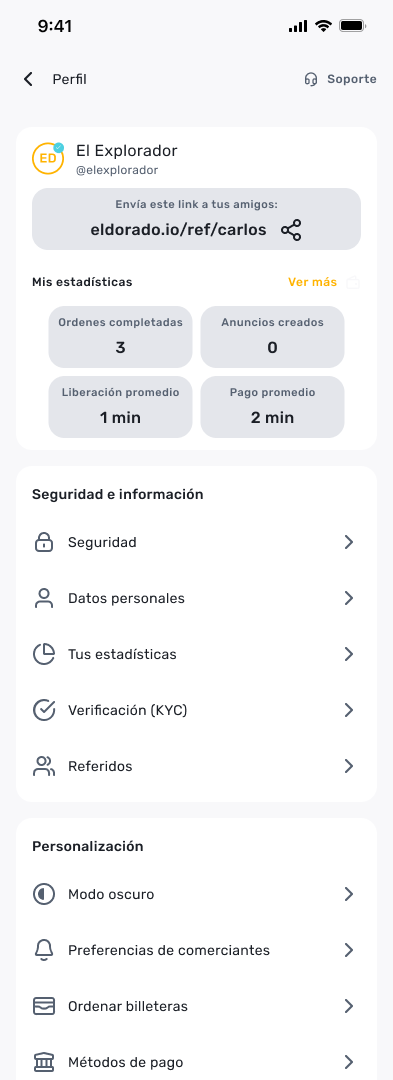
1. From the Home screen, select your profile name in the upper-right corner.
2. Then you go to “Merchant Preferences”.
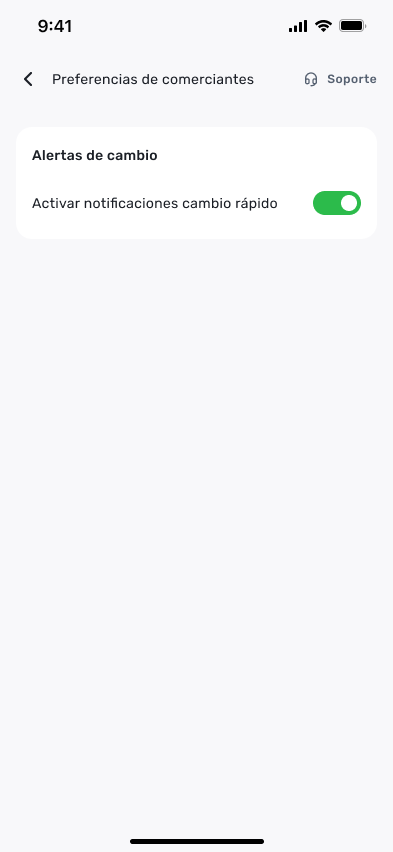
3. Finally, turn off the option to “Activate quick change notifications”.
4. By disabling this option, you will not receive P2P commands from users who enable “Quick Change”.
If you have any questions about Rapid Changes, we invite you to consult the El Dorado team through our Telegram community or customer support.
We want better P2P, with less downtime, more transaction volume, and a better experience for all El Dorado users.