

At El Dorado, we take the security of our users with the importance it deserves, which is why we present a new way to keep your El Dorado account safe and out of any danger.
Approve new logins
We introduce you to authorized devices, a new security feature in El Dorado with which you can only access your account from the devices you authorize.
If you try to sign in on a new device, you'll receive an alert on your devices, where you can “Authorize” or “Reject” this new device.
This way you will have control of who accesses your account at all times, effectively avoiding any new unwanted login.
How does this work?
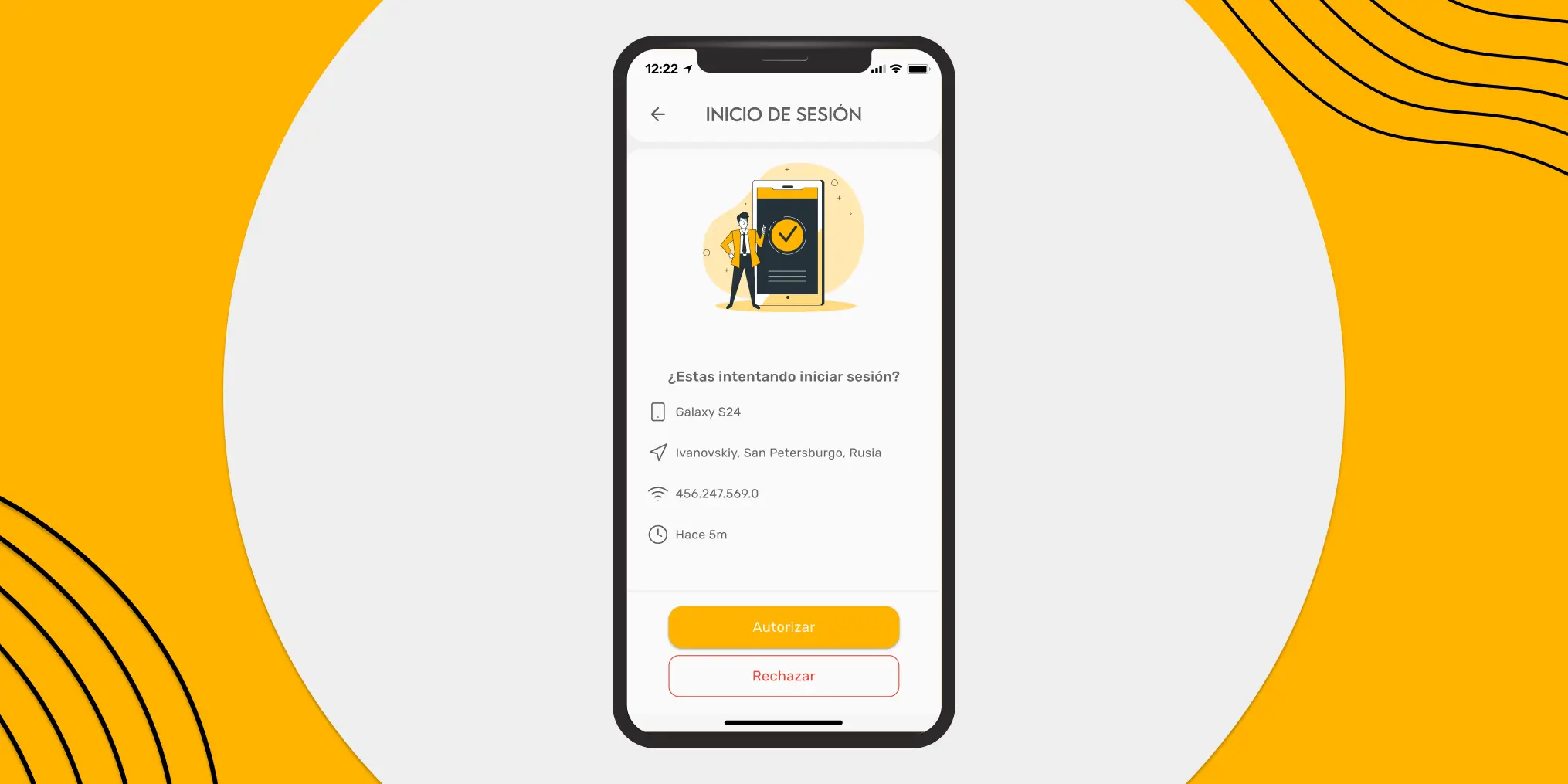
If you want to log in to a new phone or computer, you will receive a notification on the devices already authorized, when you press it, we will ask you to authorize or reject this new login.
What are my authorized devices?
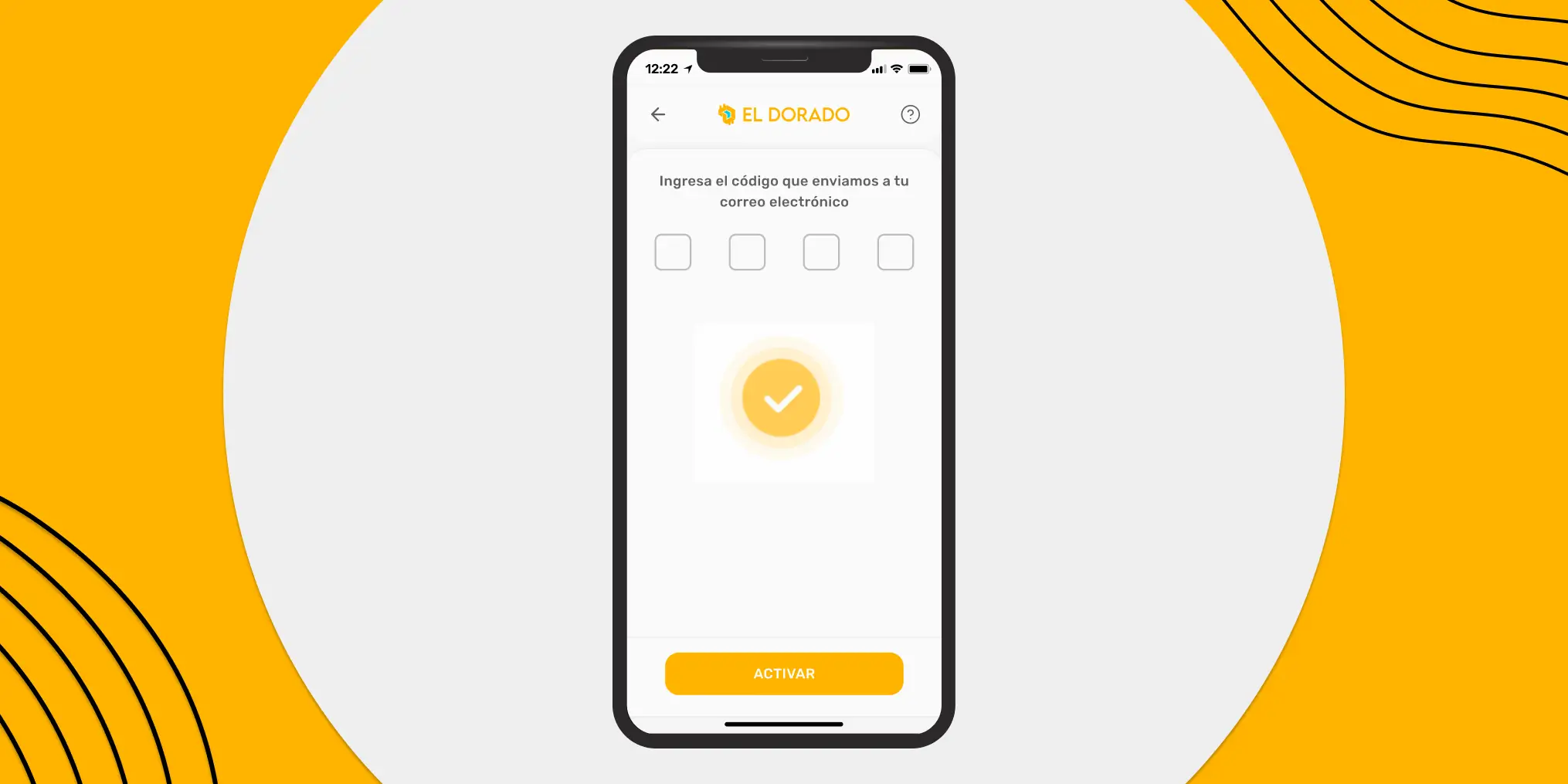
If you registered for El Dorado after February 15, 2024, your first verified device will be the one you use to complete your registration in our application.
If you created your account before the mentioned date, you'll need to set up your secure device when you access the app from any device. To do this, we will send you a verification code (OTP) to your email to validate your device.
⚠️ Alert: El Dorado will never ask you for any OTP code, don't share your El Dorado verification code with anyone, seriously, with ANYONE.
How many authorized devices can I have?
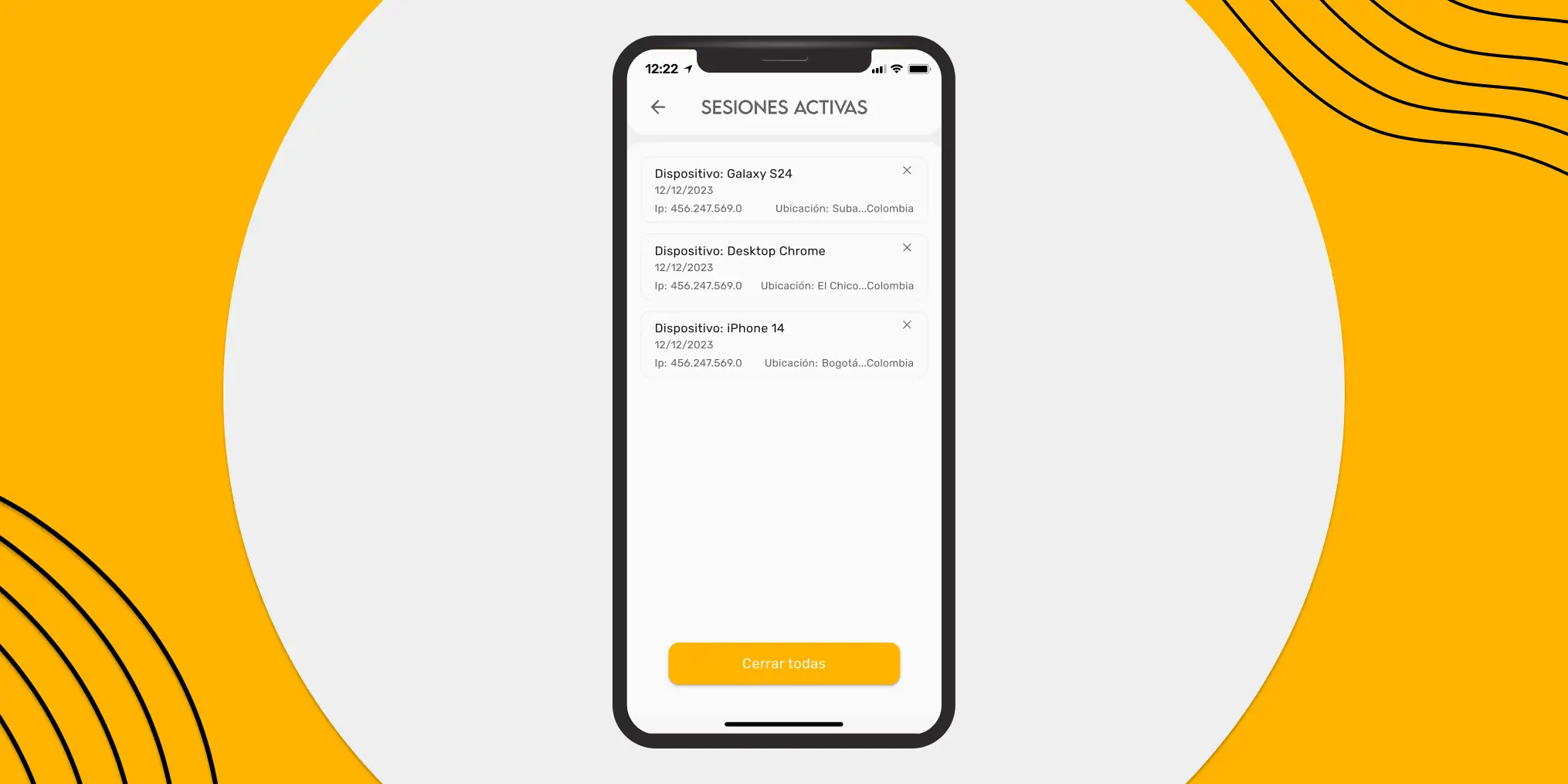
Each user of El Dorado can have 3 devices active simultaneously, if you need to open a new session, you must delete one of the authorized devices.
⚠️ Alert: El Dorado will never ask you to authorize a login to your account.
Security Lockout
In addition to authorized devices, we have integrated an extra layer of security for our users, this is a temporary lock to do important actions within the account for 48 hours from a new device.
The security lock will take effect if you sign in to a new device from an IP address other than those associated with your previously authorized account and device.
During the lockdown, you won't be able to perform the following actions from the new device:
- Create P2P orders
- Make cryptocurrency withdrawals
Can I change or delete my authorized devices?
Yes, if you lose access to any of your authorized devices, you can delete it from the El Dorado app using any of the authorized devices.
What do I do if I don't have access to my authorized devices?
If you don't have access to any of your authorized devices, you should contact the in-app support team. They will tell you the process to follow to regain access to your account as soon as possible.
What do I do if I receive an unknown login request?
If someone other than you is trying to sign in to your El Dorado account, the first thing you should do is decline the login.
The next step is to change your password and security PIN to keep your account protected. And finally contact the support team in the app to report the situation.
⚠️ Alert: El Dorado will never ask you to authorize a login to your account.
Security tips for your account
Keeping your El Dorado account protected is very important, which is why we leave you with some security tips that you should take into account. If you already have them, very good and if you are missing one, run and apply it!
Secure password
Using “password1234” or recycling your password from Instagram, TikTok or any social network is not a good idea. Create a different password for your El Dorado account, to create a 100% secure password, you can use a password manager such as Bitwarden, 1Password or NordPass.
2-Step Verification (2FA)
2-step verification is a temporary 6-digit security code generated by an app, these codes are usually valid for 30 seconds and add an important layer of security to your account.
In our app you can activate 2-step verification by going to: Settings > Security > Activate 2FA when signing in.
Once there, you just have to scan the QR code with your verification app or copy the security key and enter the code generated by the application you chose.
You can use Google Authenticator, Authy, or whatever you want.
Use a secure PIN
Just like your password, don't use your birthday or an important date for you as a PIN, try to create a truly secure and unique PIN for the El Dorado app.
Beware of Phishing
Be careful with the website you enter, remember that the only pages in El Dorado are:
- Our official website: Eldorado.io
- Our browser application: app.eldorado.io
- Offer link: share.eldorado.io
- Referral link: Unete.eldorado.io
Note that all the links include our official address (Eldorado.io). If someone shares a link with you that isn't on the list, don't access it. Go to your browser and search for the official link yourself.
Contact official support
El Dorado will never send you an SMS asking you to contact support. If at any time you receive an SMS alerting you to a problem with your account, please contact only the support in the app and ignore any SMS messages you receive.
⚠️ Alert: El Dorado has no support via WhatsApp.
Always stay alert
People with bad intentions are always on the prowl and will take advantage of any opportunity to attempt to hack your account.
Whenever you have a question, please contact The official support channel in the app.