

One of the most valuable aspects of P2P marketplaces is that anyone can participate as a buyer or merchant. If you're reading this, it's because you want to take the next step: publish your own ad in El Dorado P2P and start generating profits. Here we tell you the essentials to achieve it.
✅ What do I need to create an ad in El Dorado?
- Complete at least 5 transactions as a buyer.
- Trade with at least 3 different merchants.
- Achieve a Accumulated volume of 250 USDT or more.
- Have a verified account with Level 2 of verification.
- To have completed 7 days of operations on the platform.
💡 Tip
If you're already a merchant on another P2P platform, Your experience counts in El Dorado. Complete this quick activation form and start trading today.
Why do these requirements exist?
These filters ensure that those who create ads have a minimum base of experience and reputation. Thus, we reduce risks, increase trust and take care of the quality of the P2P market.
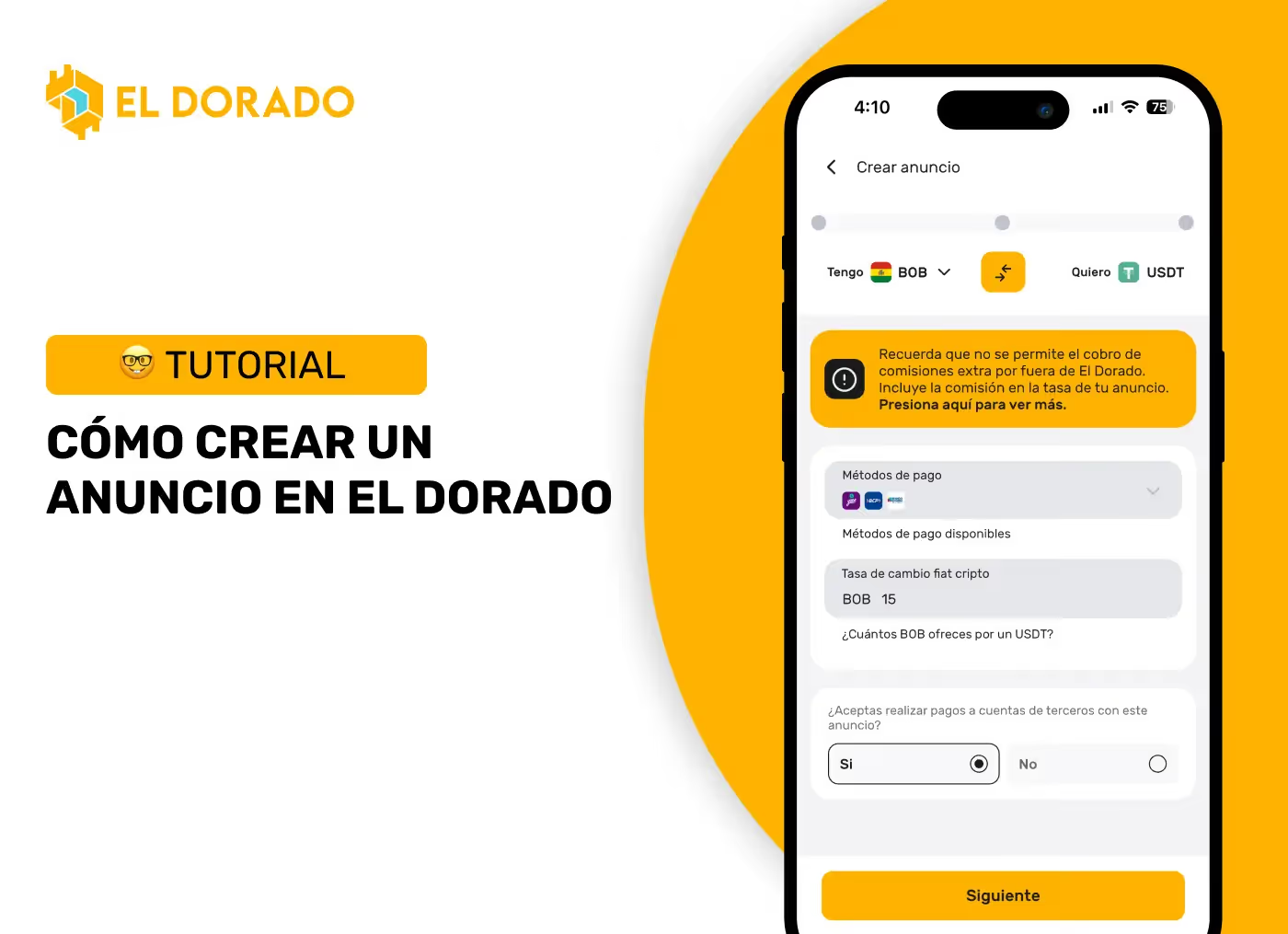
🛠️ How to create an ad in El Dorado?
- Access the app of El Dorado and go to the section “Activity”.
- Press the button “+”.
- In “I have” choose the currency you want to sell and in “I want” the one you want to receive.
- Select the payment method and define your Exchange rate.
- Indicate the Available Amount for the announcement.
- Configure the minimum amount and utmost by order.
- Write your terms and conditions And a Automatic message for whoever takes the order.
- Check the summation and confirm for publish.
📍 Where can I see my created ads?
Your ads appear in the section “Activity” of the app. From there you can Pause them, Edit them or Eliminate them when you need it.
🏆 Merchant Levels in El Dorado
In addition, each merchant has a Merchant Level (Bronze, Silver or Gold) that reflects their recent performance on the platform. This level is automatically calculated considering your speed, reputation and percentage of completed orders, and appears as a badge of trust in your profile. The better your level, the more visibility you will have in the P2P market and more users will want to take your ads.
🤝 How to fulfill a buy and sell order
Fulfill a purchase order (when they buy you USDT)
- You will receive the order in the section of “Activity”, for the amount you have available in your ad.
- You must wait for the buyer to make the payment at payment method you selected.
- Once payment has been received, verify in your wallet or bank account that the funds are accredited.
- Confirm in the app of El Dorado that you received the money and Release the USDT to the buyer.
Fulfill a sell order (when they sell you USDT)
- You will receive the order in the section of “Activity”, for the amount you have available in your ad.
- You must send the payment to bank or wallet details that the user selected when creating the order.
- Attach the receipt to the chat (if necessary) and mark the order as Paid in the app.
- Wait for the user to confirm and Release USDT in El Dorado.
🚀 Conclusion
Create ads in El Dorado P2P is the step that makes you an active trader within the ecosystem. Meet the requirements, configure your ads well and fulfill your orders quickly to build a solid reputation and make the most of the opportunities of P2P commerce.